RealSavvy × SureSend AI
Set up RealSavvy IDX with SureSend
How to buy RealSavvy, connect it to your SureSend team, and use MLS search on every SureSend contact. It takes about ten minutes of your time. MLS approval for IDX usually takes a few days, and we do that paperwork.
Part one
Buy RealSavvy
Everything is online: build your package, sign the Statement of Work, pay by card.
Open the SureSend page and price your package
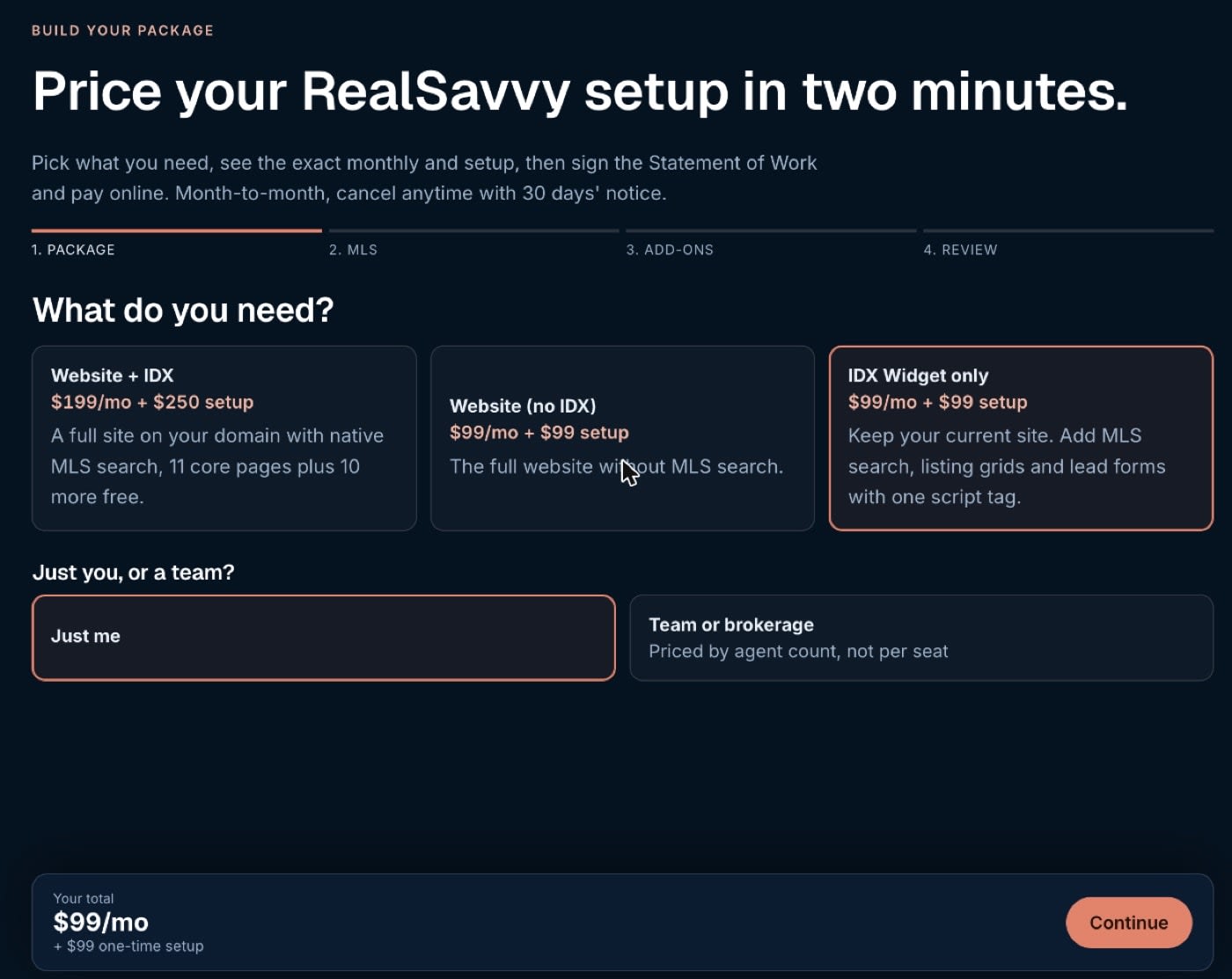
Go to realsavvy.com/suresend and click See my price, or use one of the buttons above, which open the package builder with your plan picked.

Pick a plan, then your MLS
Choose IDX Widget only to keep your current website, or Website + IDX for a new site from us. Pick Just me or Team or brokerage (teams are priced by agent count). Next, search for your MLS by name or state. Your first MLS is included; each extra one is $50/mo. Add-ons on the next step are optional.
Check your package on Review
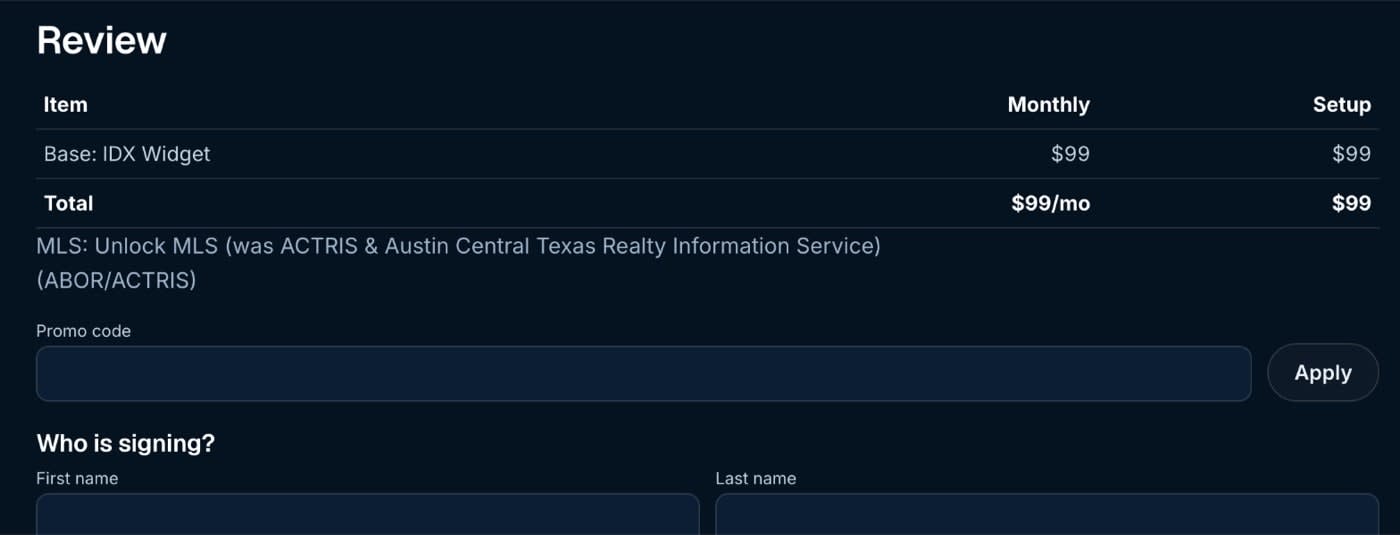
Review shows your plan, MLS, monthly price and setup. If you have a promo code, enter it in Promo code and click Apply. Then fill in who is signing, including your brokerage and managing broker: your MLS needs your broker's OK for IDX, and we send them that paperwork.
Sign and pay
Click Review, Sign & Pay. You'll see a Statement of Work with your exact numbers. Sign it, and the secure checkout opens for your card. Today's charge is the first month plus setup.
What happens after you pay
- We email your onboarding form within one business day.
- We file the IDX paperwork with your MLS and broker. Approval usually takes a few days.
- You get your RealSavvy portal login at portal.agnt.pro, which is where you connect SureSend.
Part two
Connect your SureSend team
A SureSend team admin does this once for the whole team.
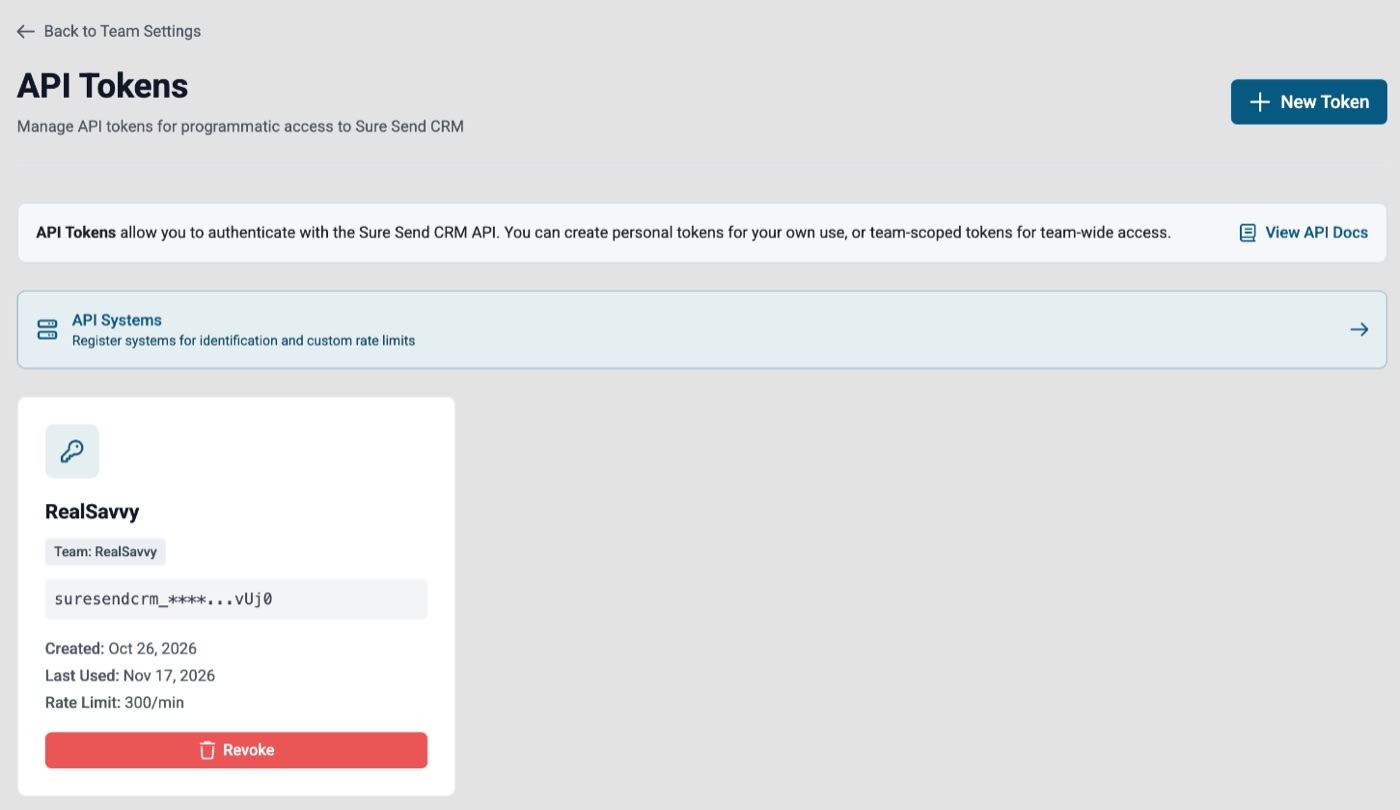
Create a team API token in SureSend
In SureSend, open Settings → API Tokens and click New Token. Make it a team token, name it RealSavvy, and copy it. SureSend shows the full token once.
Paste it into the RealSavvy portal
Sign in at portal.agnt.pro, open Back Office → My Profile, find SureSend under CRM connections, and paste the token. We check it with SureSend before saving, and the row turns Connected with your SureSend team name.

Turn on the RealSavvy widget in SureSend
In SureSend, open Settings → Partner Widgets (filter by IDX Vendors or search "RealSavvy"). Switch on Person to add the tab to every contact, and Tools for the team-wide tools. It turns on for everyone on the team right away. You can also find us in the SureSend marketplace.

If RealSavvy isn't in your list yet, send us a message and we'll get it enabled for your team.
Part three
Use it on a contact
Search the MLS from the contact
Open any contact in SureSend and click the AGNT tab. Search with the map, filters and draw-an-area, save the search so the client gets new listings on the schedule you pick, send them a listing, or ask Grant, our AI assistant. Pop out opens the full search, already set up for that client.
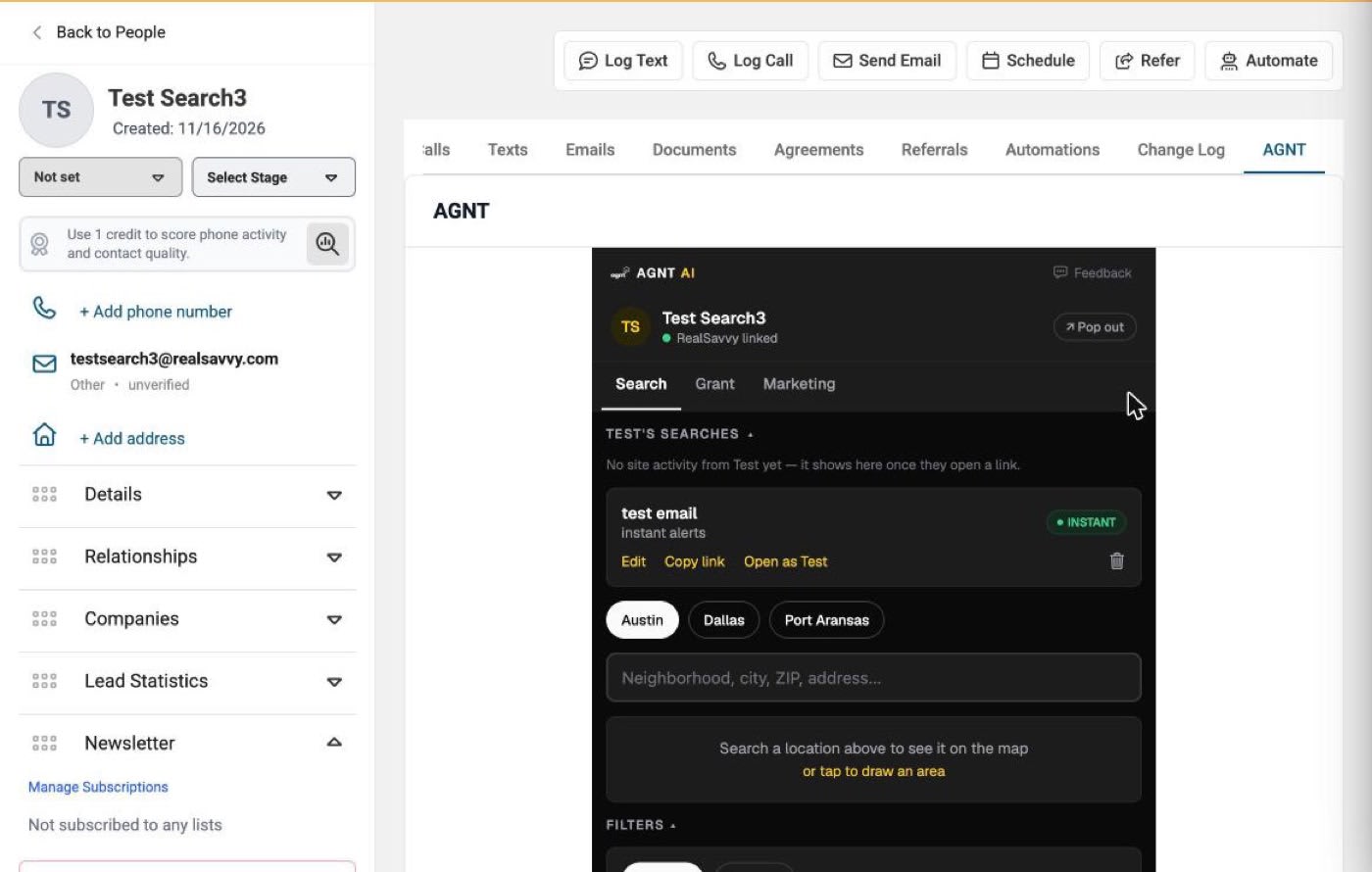
If the tab says it couldn't verify the account after the page has been open a long time, reload the SureSend page.
See what buyers do on your site
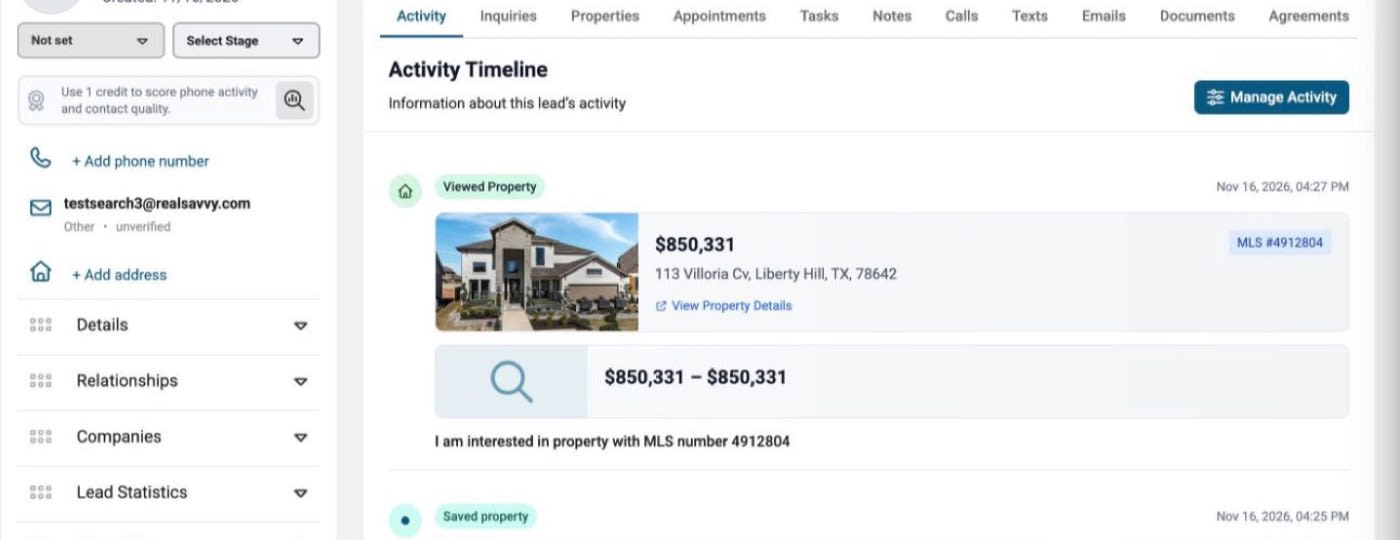
When a buyer registers, searches, views a home, saves one or sends an inquiry on your RealSavvy site, it lands on their SureSend timeline as it happens, with the address, price, beds, baths and a link that opens the listing.
Pricing at a glance
| Plan | Monthly | Setup |
|---|---|---|
| IDX Widget + AI connector | $99 | $99 |
| Website + IDX | $199 | $250 |
| Teams and brokerages, by agent count | from $299 | varies |
| Each extra MLS | $50 | none |
Month to month, cancel with 30 days' notice. Questions? Send us a message or book a 30-minute call.
